
Songs and Albums in Become a Pop Star
From debut single to a discography that actually belongs on the weekly board.
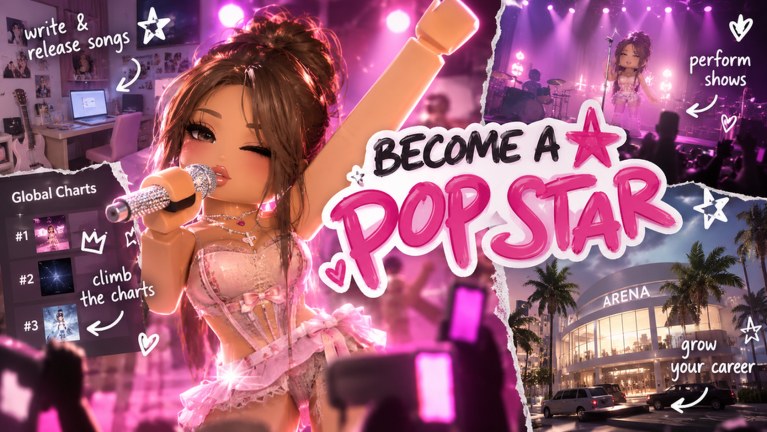
Every Become a Pop Star run is a discography problem disguised as a clicker. You name a track, pick a genre, spend on promotion, release, then decide whether that song sits alone or joins an album. Albums were part of the “huge update” that also added merch, Encore Rush, Rhyme Time, Socials 2.0, the Star Store, dark mode, and trading. Treat them as a second release button, not as wallpaper.
If you have not shipped a debut yet, follow Getting Started first. This page assumes you can find the create-song panel and that codes already padded the wallet.
Anatomy of a single
Name. The title is public on charts, StarFeed, and collab credits. Joke names get clipped in screenshots; they also make collab partners hesitate. One coherent series (a color, a city, a motif) is easier to merch later.
Genre. Official options include Pop, K-pop, Rock, and Country. The genre tier list is the ranking page. For catalogue health, pick one primary and one side genre. Dumping all four into one week makes you impossible to collab with — partners cannot predict the next drop.
Promotion. This is the cash sink before release. Under-promote and the song never leaves the bathroom. Over-promote and you cannot afford the venue that would have printed more fans than the extra promo tick. A working heuristic: promotion spend should stay below the cost of your next unlocked stage. If a stadium is the next goal, do not empty the wallet on a bathroom demo.
Release. After release the track enters discography, charts, and the weekly recap. Streams continue in the background while you perform and restock. Do not delete or overwrite a charting single because you disliked the title — Social Era collabs can still attach to it.
Charts without mythology
The HUD exposes charts for singles and a global-style list other players screenshot as “#1 Sugar Rush.” Those boards are competitive inside the server and across the live player base depending on the current Social Era build. We do not claim a hidden Elo. What we can say from HUD walkthroughs: your latest song, career level, and fan count sit on the first page, and the charts panel is a separate tab next to discography and albums.
If you stall under a wall of K-pop titles, either collab into that lane (collab guide) or double down on a quieter genre and tour it. Touring a niche with full venues beats a Pop single that never leaves page three. The charts page is the player-versus-player reading of the same boards.
When to make an album
An album is a bundle of songs you already own. Clicking Album with one track is a vanity LP. Wait until you have three to five singles that share a genre or a story. Then release the album so the recap can print a second product line in the same week you are touring.
Albums do not replace concerts. They ride on the back of a catalogue that people already stream. If the singles never charted, the LP will not magically fix them. Use the album button after a good show, when merch is in stock, so the week has three income lines instead of one.
Music videos are listed on the official Roblox description (“Film music videos”). Community comments still ask for a fuller MV suite, so do not block your week waiting on a cinematic editor that may still be rolling out. If the live client offers a film action, treat it like promotion: spend once, then go perform. The dedicated music videos guide is that spend in detail.
Collab writes versus solo writes
Social Era lets two players release together. Credit should land on both catalogues. That is the entire point of a collab single. If you are the bigger account, you are donating reach; if you are the smaller account, you are renting it. Price that in. Do not collab a joke song onto a partner’s serious LP. Setup and etiquette live on collabs and the Social Era guide.
Auto-song scripts will happily flood your discography with numbered titles. That wrecks collab optics and makes albums look like a folder dump. If you use a loader, cap Auto Songs and name the keepers by hand before you bundle an LP.
Quality control loop
- Write in the locked genre.
- Promote within the next-venue budget.
- Release.
- Perform the same day.
- Check charts after the show, not before.
- Restock merch if the song moved.
- Only then start the next write — or an album if the pile is ready.
Microphone and studio upgrades raise the ceiling of this loop. Buy them with leftover code cash or show income, not with the promotion budget of a song that has not shipped. Career upgrades are the slow version of a rebirth; they should complete a week, not replace Legacy Stars.
Keep one screenshot of each recap. Become a Pop Star’s week boundary is how you learn whether a title was a single or album candidate. Guessing from the write screen is how you ship three flops in a row and blame the genre.
Frequently Asked Questions
Quick answers to the most common questions.
How do I write a song in Become a Pop Star?
Open the create-song panel, set a name and genre, spend on promotion, then release. The track appears in discography and charts.
When should I release an album?
After several singles share a genre or theme. An album with one track wastes the button; bundle three to five and tour the same week.
Does promotion guarantee chart position?
No. Promotion buys visibility. Venue fills, collabs, and the weekly field decide whether you sit at #1 or page three.
Can I collab on a song?
Yes, after Social Era. Both artists should receive credit. Setup is on the collab page.