
Become a Pop Star HUD and Controls
Where every button actually lives — career strip, hamburger menus, timing bar, and the panels people lose on phone.
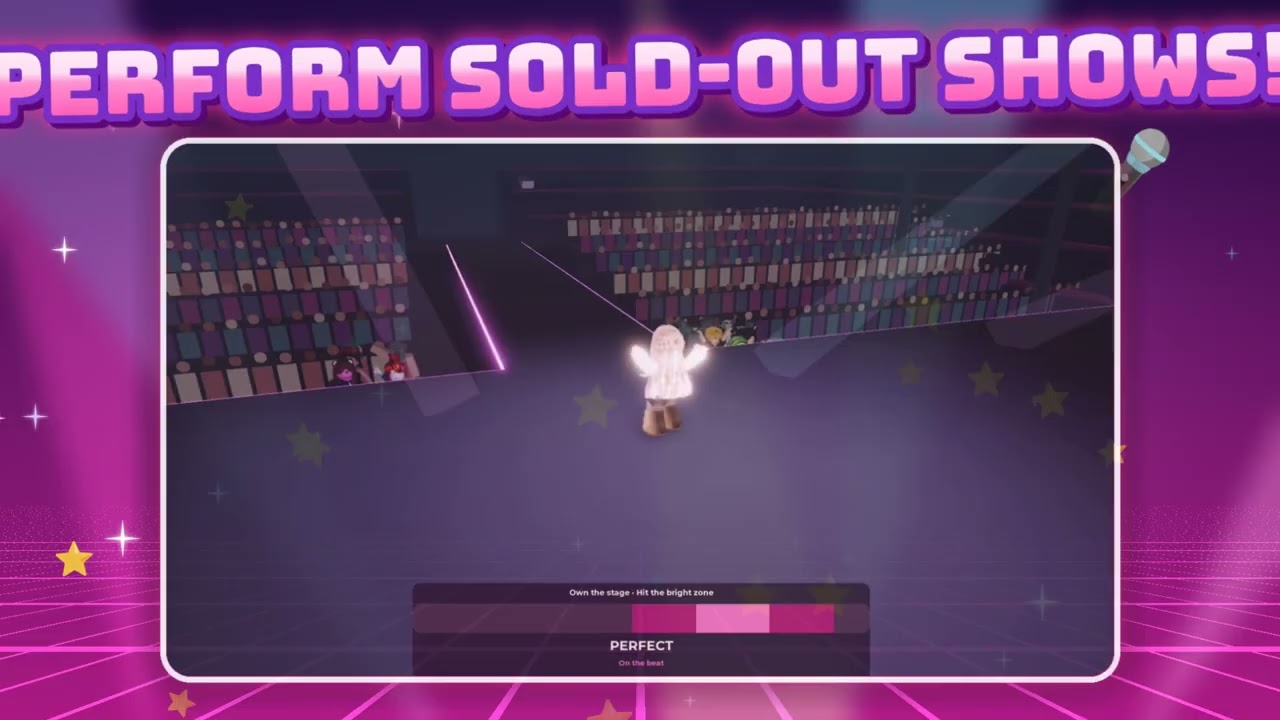
Become a Pop Star is a panel game. You are not sprinting through an open city to find a studio. Career level, cash, fans, and the latest title sit on a strip; discography, charts, albums, socials, stages, merch, minigames, Charms, and the Star Store hang off that strip. This page is the map of those controls on PC and mobile so you stop losing codes behind a hamburger.
If the numbers are still loading, do not tap Write Song. A stale wallet writes a track you cannot promote. The order of operations for week one still lives in Getting Started.
The career strip
Top of the HUD: career level, fans, cash, latest title. Career level gates venues, merch SKUs, and some social actions. Fans gate how a show looks on the recap. Cash gates everything else.
Badges trip off this strip without extra buttons: Debut Single on first release, First Showtime on first live show, On the Rise at Career Level 10. There is no separate badge menu you need to farm.
Tap the latest title to jump toward discography. Tap cash only if the client exposes a wallet breakdown; most builds do not. The strip is a status bar, not a shop.
Menu stacks (PC and desktop)
On desktop Roblox the left or right stack holds:
- Create / Songs / Albums — name, genre, promotion, release. Full write-up: songs and albums.
- Charts — weekly and global-style boards. Reading them: charts.
- Socials / StarFeed — posts, lives, collabs, rivalries. Social Era guide.
- Stages — venue list, ticket band, book. Concerts and venue tiers.
- Merch — create, restock. Merch guide.
- Minigames — Encore Rush, Rhyme Time. Minigames guide.
- Charms — equip and inspect. Charms tier list.
- Star Store / Shop — Robux cosmetics and dark mode. Star Store.
- Settings / Codes — redeem, graphics, dark mode toggle if it is not in the store.
- Trade — lobby exchanges. Trading.
Starberry does not print a giant billboard. If a label moved after the 18 November 2026 stamp, trust the live HUD and check updates.
Mobile and console
Phone HUD is the same stack behind a hamburger or a tab row. Codes, collabs, and minigames hide first. Open Settings before you assume a code is dead. The mechanical taps are on how to redeem.
Thumb reach matters during a timing bar. Hold the device so the bright zone is in the lower third. Landscape helps some players; portrait is fine if you already hit Perfect that way. Console uses the same menus with a cursor or stick highlight — confirm with the face button, cancel with B / Circle so you do not book a stadium by accident.
Voice chat is off on every client. Diplomacy is menu text plus Discord.
Timing bar controls
Concerts and minigames share a bright zone prompt. Official trailer copy: own the stage, hit the bright zone, score Perfect. Input is a tap or click when the marker is in the highlighted band. Miss still finishes the song; it pays like a support slot.
While the bar is up, the rest of the HUD is covered. You cannot redeem, restock, trade, or post. Finish or exit. Walking away wastes rent on a show and wastes the attempt on Encore Rush.
If the zone is hard to see, raise brightness or toggle dark mode in Settings / Star Store. Dark mode does not change hit windows. A Charm that promises auto Perfect is a scam, not a control.
Social Era buttons
Collab, rival, sue, co-headline, and listening party live under Socials. They need another human in the 15-player server. Grey buttons usually mean a stale instance, not a region lock — rejoin from the official URL.
Do not mash sue because it is the shiniest new icon. Court is a minigame with a fee-shaped failure. Read rivalries before you file.
Quality-of-life
- Wait for cash and fans to populate before any spend.
- Screenshot the weekly recap from the recap panel, not from a cropped phone photo of the strip.
- Friends still grant a fan boost; stay in their instance when they are online.
- Loaders bind remotes, not keys. If a script “needs a new keybind,” the GUI is lying.
- After a client stamp, walk Socials, Stages, and Charts before you write. Button names move.
Keep this page next to the weekly checklist. The checklist is the order. This is where the buttons are. If a future named era adds a ninth verb, it gets a ninth slot in the stack and a line on the checklist — not a new movement scheme.
Frequently Asked Questions
Quick answers to the most common questions.
Where is the codes box in Become a Pop Star?
Under Settings or a Codes entry in the left or right menu stack. On mobile it sits behind the hamburger. Full taps: how to redeem.
Why can't I open merch during a concert?
The timing bar overlays the HUD. Finish or exit the show or minigame first.
Does dark mode change gameplay?
No. It is a readability toggle in Settings or the Star Store. Hit windows stay the same.
Is there voice chat?
No. Servers hold 15 players and all social play is in menus plus Discord.