
Become a Pop Star Guides
Career walkthroughs ordered the way a new artist actually unlocks systems.
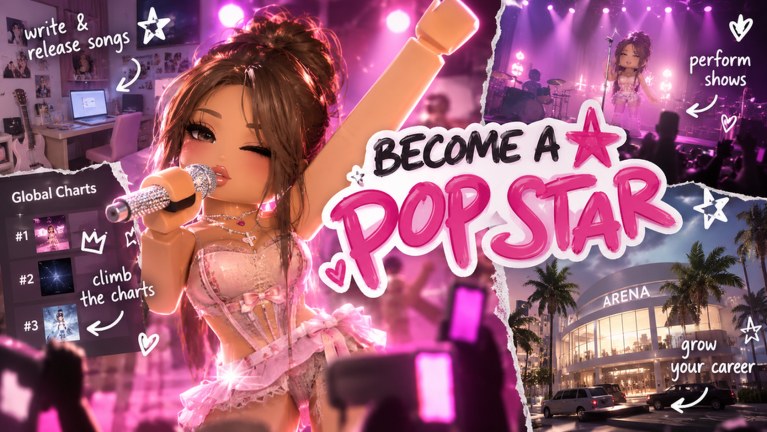
This hub is the map of every Become a Pop Star walkthrough on the wiki. The game is an incremental music career: you write, you chart, you film, you perform, you sell merch, you post, you rebirth. Social Era layered collabs and drama on top of that loop. Minigames, music videos, and the HUD map now have their own pages so the dropdown stays short. Use the pages below in unlock order instead of bouncing between Discord screenshots.
If you have not released a single yet, skip everything except Getting Started and codes. One funded debut teaches more than a pile of endgame tabs.
Start here
- Getting Started — HUD, first song, first show, first week recap. Includes a real gameplay overview video.
- Songs and Albums — naming, genre, promotion, charts, and when an LP is worth the extra click.
- Concerts — venue costs, ticket prices, Perfect accuracy, co-headlines.
Those three pages cover the bathroom-singer stretch that most players quit during. The rest of the wiki assumes you can finish a week without going negative.
Mid-career money
- Merch — unlocks, restock discipline, and why empty shelves during a charting week is a self-own.
- Rebirth — Legacy Stars, what resets, and when to prestige instead of forcing another single.
- Charms tier list — which collectibles actually move fans or cash.
Merch and rebirth are where incremental sims usually hide their traps. Become a Pop Star is no exception: a stadium you cannot fill and a rebirth you fire on Wednesday both feel like progress and both dump the weekly recap.
Practice, clips, and HUD
- Minigames — Encore Rush and Rhyme Time: grind fans and timing, then go pay rent.
- Music videos — film once like promotion, then tour the same day.
- Controls — career strip, mobile hamburger, timing bar, codes, dark mode.
The Guides dropdown shows the first seven pages plus a View all link into this hub. Minigames, clips, and controls live here so the PC menu does not turn into a scroll trap.
Social Era systems
- Social Era guide — StarFeed, collabs, rivalries, lawsuits, listening parties, co-headlines.
- Collabs — how to pick a partner without donating your streams.
- Rivalries — when drama is profitable and when it is just a court fee.
- Charts — reading weekly boards and the global list.
Social Era is the November 2026 identity of the game. A solo auto-farm can still print cash, but the players sitting at #1 in comments are collabing and posting. If you ignore StarFeed you are playing the September beta.
How we write these guides
Facts come from the live Roblox description, Starberry group copy, the official trailer, player HUD walkthroughs, and patch dates (created 24 September 2026, client update 18 November 2026). We do not invent Charm IDs, hidden venue names, or lawsuit case numbers. When a mechanic is only visible in a GUI and not named in official copy, we say so.
Each guide page keeps one YouTube embed in the middle when a real video exists. We do not fabricate IDs. If a topic has no footage yet, the article still stands on the HUD and the patch notes.
Suggested first-week route
- Redeem codes.
- Pick a genre you will not hate hearing on repeat.
- Release one single with a modest promotion spend.
- Play one minigame if you still need fans.
- Book the smallest venue that your fans can fill.
- Restock merch once.
- Post on StarFeed.
- Read the weekly recap before you touch rebirth.
When that route feels automatic, open tools for the weekly checklist and updates so you are not surprised by the next Social Era beat. The guides here stay useful only if they match the client you loaded tonight — if a button name moved, trust the live HUD and send the new label back through the usual Starberry channels listed on links.
Frequently Asked Questions
Quick answers to the most common questions.
Which Become a Pop Star guide should I read first?
The Getting Started page. Redeem codes, write one song, and book one small show before you open rebirth or Social Era drama.
Do these guides work on mobile?
Yes. The loop is the same. Menu names differ slightly; the redeem and concert pages call out mobile-specific taps.
Is there a walkthrough video?
Getting Started embeds a real HUD overview. The home page embeds the official Starberry trailer. We only embed IDs we could verify.
Where do patch notes live?
On the updates hub and the dedicated Social Era article, cross-checked against the Roblox page and group.