
Become a Pop Star Getting Started
From unknown artist to a finished first week without wasting the 1MILLION payout.
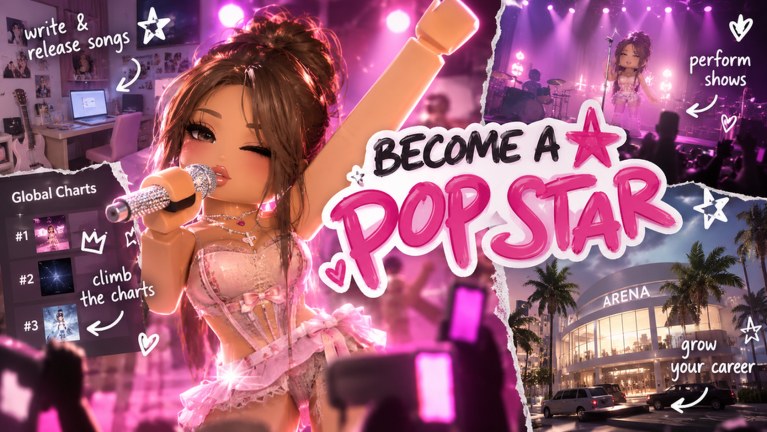
Become a Pop Star drops you into a career panel, not an open-world city. The first screen shows career level, fans, cash, and your latest song. Everything else — discography, charts, albums, socials, stages, merch, minigames, charms, leaderboards — hangs off that panel. This guide is the order of operations for week one. Redeem codes before you spend a dollar.
Starberry Studios released the experience on 24 September 2026 as a music incremental sim. Servers hold 15 players. Playing with friends still grants a fan boost, so if someone is online, stay in their instance. Voice chat is off; all social play is in the menus.
Read the career panel
Top of the HUD: career level, fans, cash, latest title. Career level gates venues, merch SKUs, and some social actions. Fans gate how a show looks on the recap. Cash gates everything. If those three numbers are still loading, do not tap Write Song yet — you can start a track against a stale wallet.
Badges you will trip without trying: Debut Single on first release, First Showtime on first live show, On the Rise at Career Level 10. They are freebies. Do not reroll an account hunting them.
Write the debut the right way
Open the create-song flow. You pick the name, the genre, then promotion and release. Genres on the live build include Pop, K-pop, Rock, and Country. There is no secret fifth genre in official copy. Pick one you will keep using so your catalogue looks coherent on StarFeed. The genre tier list explains the tradeoffs; for week one, Pop or K-pop is the default because most collab partners search those tags.
Promotion is a cash slider, not a lore choice. Spend enough to be visible, not enough to bankrupt the concert. Release. Watch streams tick. Open Charts and Discography so you know where the song landed. Do not immediately write a second track until you have booked a show — two unperformed singles dilute the recap.
Book a stage you can fill
Stages unlock with career level. Bigger rooms hold more fans and cost more to rent. Ticket price is yours to set within the venue’s band. A high ticket in an empty room prints embarrassment, not wealth. Start at the cheapest unlocked stage. During the show you play a timing bar: hit the bright zone for Perfect. Accuracy feeds both cash and new fans on the results card.
If the bar feels brutal, that is the Encore Rush / Rhyme Time family of minigames leaking into the concert flow. Practice once. A Perfect on a small stage beats a Miss on a venue you unlocked with leftover code cash. Full routing lives in the concerts guide, the minigames guide, and the venue tiers. Button locations are on the controls page.
Merch, minigames, charms
Merch unlocks as you level. Create a product, then restock. Early demand is tiny; one restock after the debut show is enough. The merch page is the later-game version of this paragraph.
Minigames (Encore Rush, Rhyme Time, and their cousins) sit on their own panel. Play them when you need fans and you are not in a paid venue. They are the AFK-adjacent grind; they are also what auto-farm scripts force to Perfect, which is why manual players should still touch them so the recap does not look empty. The dedicated minigames page is the later-game version of this paragraph.
Charms are collectible boosts. Equip whatever the game hands you in week one. Do not spend Robux on a Charm until you have read the Charms tier list and the Star Store. Trading exists; do not trade your only Charm to a stranger in the 15-player lobby — trading guide. If the live client offers a film action, treat it like promotion and read music videos after the debut ships.
Socials and the week recap
Socials 2.0 plus Lives let you post, grow followers, and go live. StarFeed, added in Social Era, is the celebrity news feed you both follow and get dragged on. Post once after the debut so the recap has a social line. Collabs, rivalries, and lawsuits can wait until the Social Era guide — they cost attention you do not have on night one.
When the week closes, the recap lists streams, show income, new fans, merch, and social reach. Read it. That screen is how you decide whether to write another single, restock, or start planning a rebirth. Do not prestige because a GUI flashed a button. Legacy Stars are a week-two conversation.
First-week checklist
- Redeem
1MILLIONandSHOWTIME. - Upgrade the cheapest microphone or studio slot you can afford.
- Release one song in a locked genre.
- Play one minigame for extra fans.
- Book the smallest venue, aim for Perfect.
- Restock merch once.
- Post on socials.
- Screenshot the weekly recap.
Friends in the server still multiply fans. If the lobby is empty, hop once. If it is full of scripted AFK avatars, hop again — you want humans for the Social Era systems even if you are not collabing yet.
When the checklist is green, you are done with onboarding. Open songs and albums next, then concerts, then merch. The rest of this wiki assumes you have a recap that is not all zeroes.
Frequently Asked Questions
Quick answers to the most common questions.
What should I do first in Become a Pop Star?
Redeem codes, write one song, and play a small venue. Ignore rebirth, lawsuits, and Robux Charms until the first weekly recap.
Which genre is best for beginners?
Pop or K-pop, because collab partners and chart screenshots cluster there. Country and Rock are viable if you commit; see the genre tier list.
Is the game multiplayer?
Yes. Servers hold 15 players, friends grant a fan boost, and Social Era is built around collabs and rivalries.
When do I rebirth?
Not in week one. Read the rebirth guide after Career Level 10 and a complete weekly recap.